

WowTo
Sample Integration created for testing

1 How to embed WowTo Videos inside SubPage?
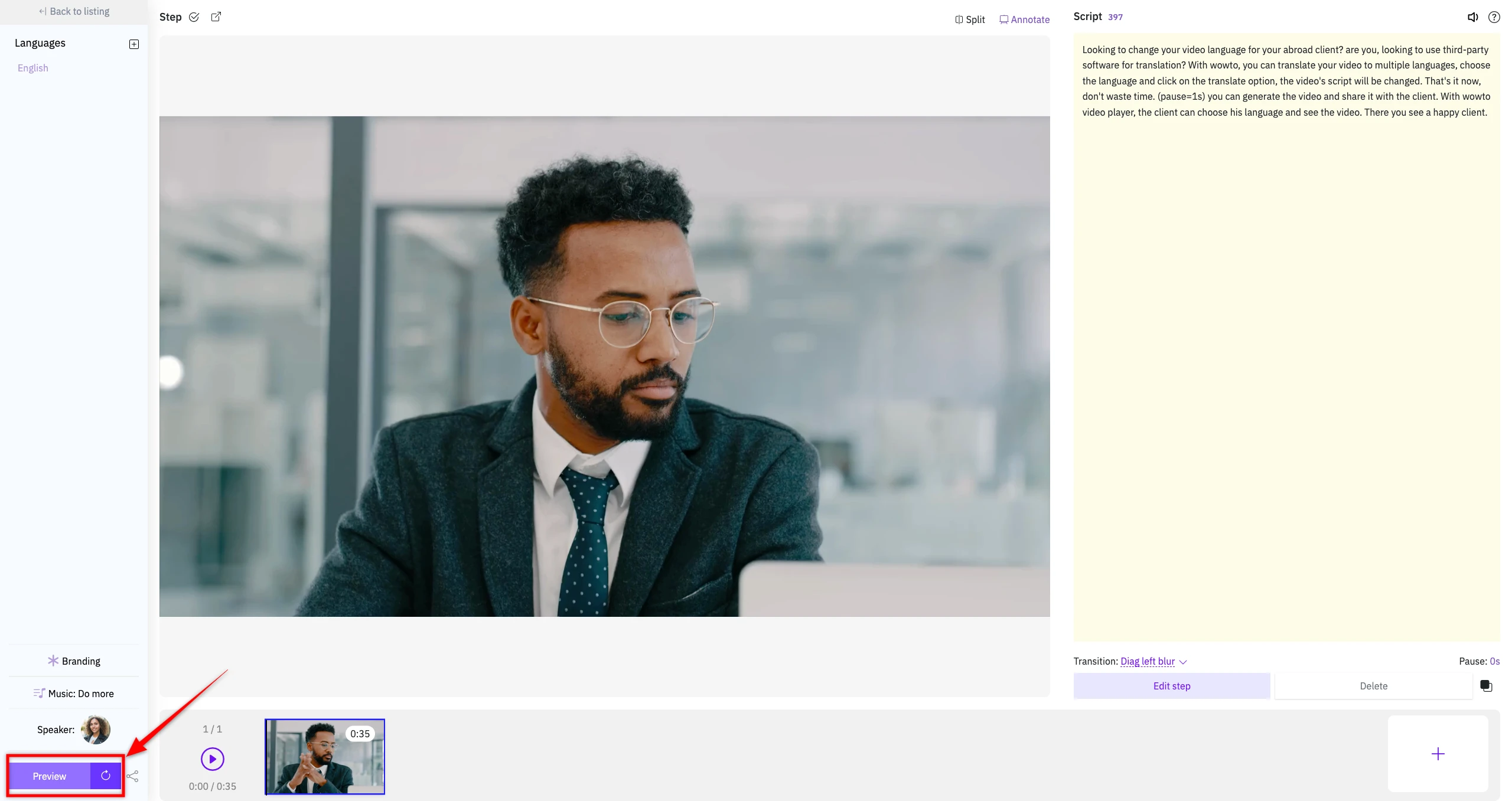
Select a video from your WowTo Dashboard and click on the preview.

2Now, Click on the share Howto and copy the embed code.

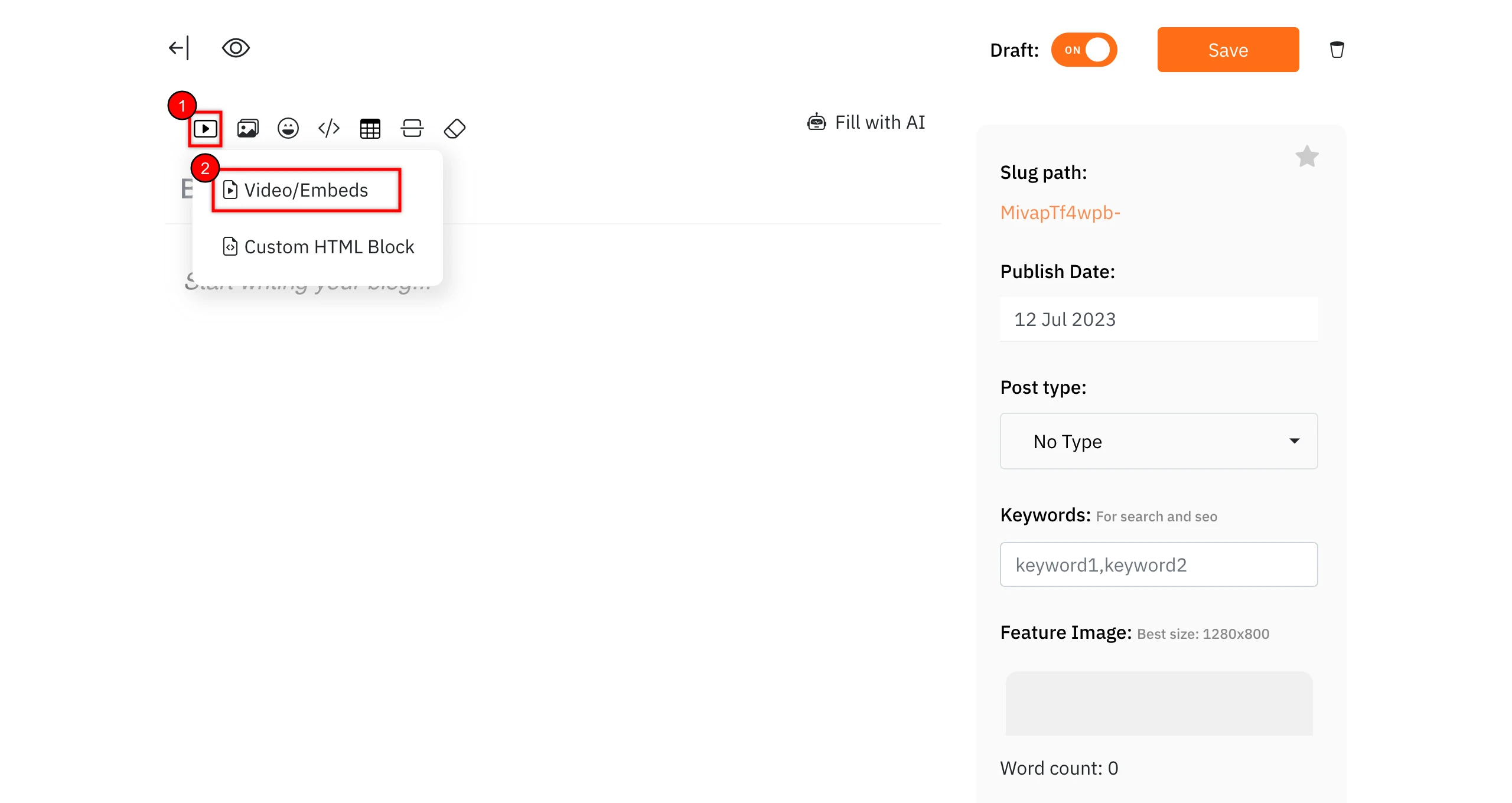
3Inside the SubPage Editor, click on the 'Add Video or Embeds' option from the top toolbar.

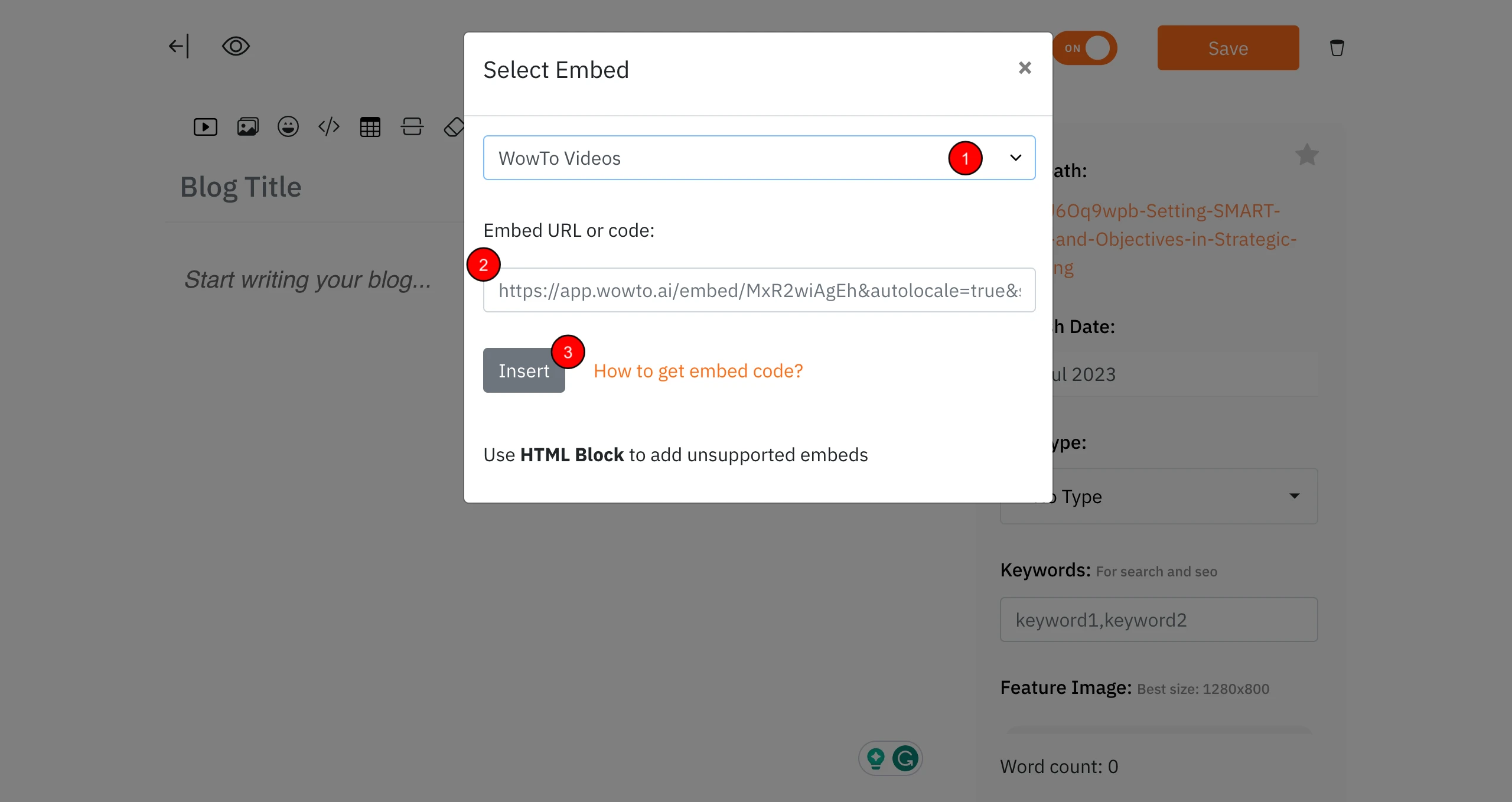
4In the dialog that opens, choose 'WowTo Videos' from the dropdown. Paste the URL in the 'Embed URL or code' field and click on the 'Insert' button.

5The video will be embedded inside your subpage.


